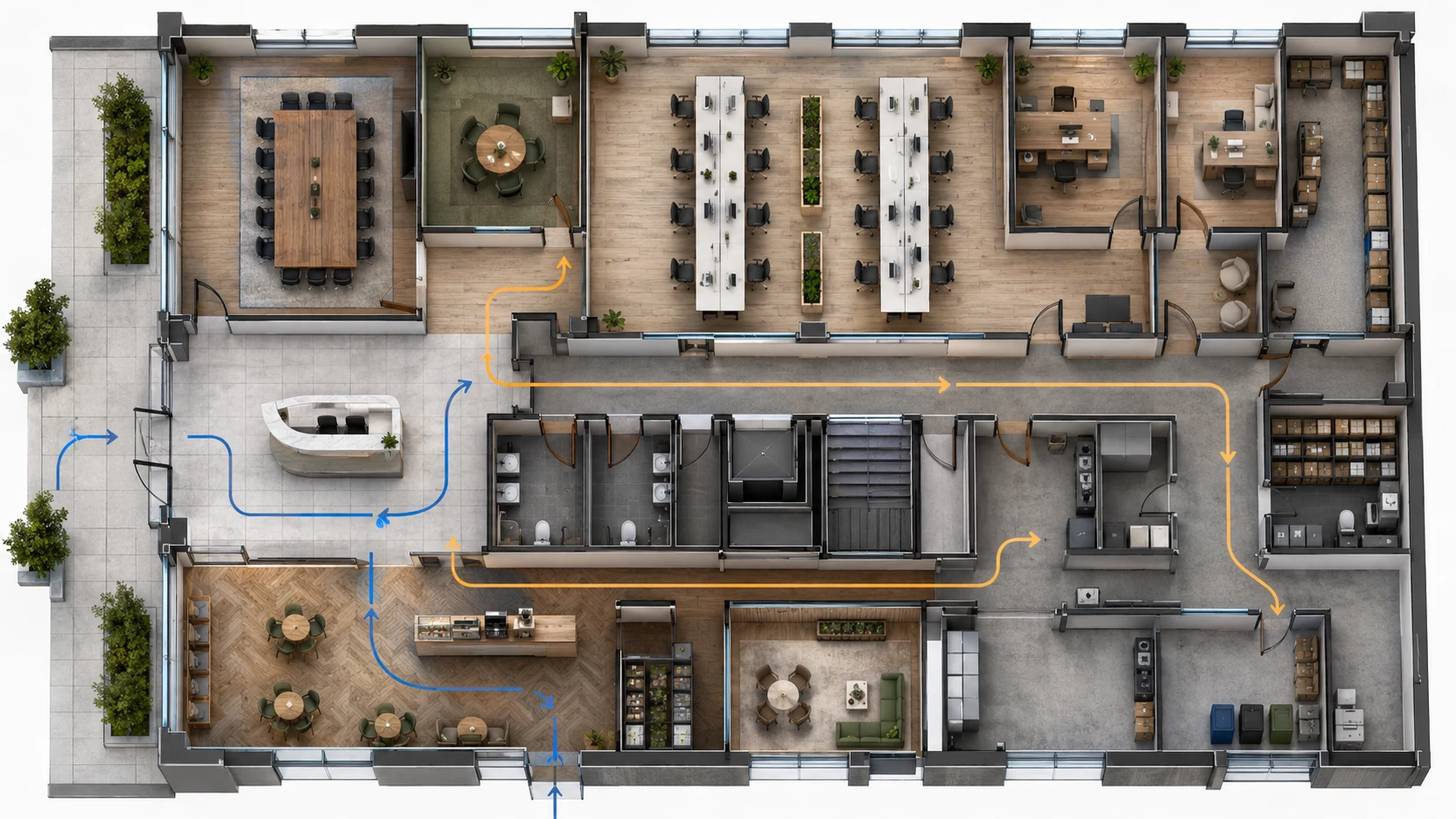
Office layout
Create an office floor plan with reception, open workspace, 4 meeting rooms, 2 private offices, pantry, storage, and clear visitor circulation.
Create commercial floor plan drafts for offices, restaurants, retail stores, clinics, studios, and warehouses. Plan customer flow, staff paths, storage, and service zones before detailed design begins.
Plan office, restaurant, retail, clinic, studio, and warehouse layouts from one focused workflow.
Use BuildFloorPlan to create business floor plan layouts for offices, restaurants, retail stores, clinics, studios, warehouses, and small commercial spaces. Plan customer flow, staff paths, service zones, storage, restrooms, and operational circulation before moving into detailed design or contractor work.
Plan public areas, staff areas, storage, service zones, and restrooms.
Create early options before fit-out or contractor work.
Keep operational flow visible from the start.
Flow
Office, restaurant, retail, clinic, warehouse, studio, or mixed use.
Add customer paths, staff routes, entrances, storage, and service needs.
Use the plan to align the team before detailed design.
Commercial layouts succeed when the zones and movement paths make sense first.
Describe the space type, customer journey, staff routes, storage needs, and service access.
Create a floor plan draft that is easier to discuss with partners, clients, landlords, or contractors.
Use clear 2D output when the main question is flow, access, and operational efficiency.
Use this commercial layout planner for offices, restaurants, retail stores, clinics, studios, warehouses, and other business layout maker workflows.
Create an office floor plan with reception, open workspace, 4 meeting rooms, 2 private offices, pantry, storage, and clear visitor circulation.
Create a restaurant floor plan with dining seats, kitchen, cashier counter, restrooms, storage, staff path, and customer flow.
Create a retail store floor plan with entrance display, product zones, checkout counter, storage, fitting area, and clear walking paths.
Create a clinic floor plan with reception, waiting area, consultation rooms, treatment room, storage, restroom, and private staff access.
Create a warehouse floor plan with loading area, storage zones, packing area, office corner, staff path, and clear access routes.
These are the questions teams usually ask before trying an AI building layout maker on a real project.
What is a business floor plan generator?
A business floor plan generator helps turn commercial space requirements into first-pass layout drafts for review, comparison, and stakeholder discussion.
Can I generate office floor plans?
Yes. You can create office layout drafts with reception areas, meeting rooms, workstations, private offices, pantry space, storage, and circulation.
Can I create a business floor plan layout online?
Yes. You can describe your business type, customer flow, staff routes, storage, service zones, and restrooms, then generate a reviewable business floor plan draft.
What types of business layouts can I create?
You can create early layout drafts for offices, restaurants, retail stores, clinics, studios, warehouses, and other small commercial spaces.
Can I create restaurant or warehouse layouts?
Yes. BuildFloorPlan can help with restaurant dining and kitchen flow, warehouse storage and loading zones, and other practical business layouts.
Can I start from a business sketch or image?
Yes. You can start from text, a sketch, or an image when you already have a business floor plan reference to work from.
Is this suitable for final commercial construction documents?
No. BuildFloorPlan is for first drafts, concept comparison, and early layout discussion, not final permit drawings, code compliance packages, or stamped construction documents.
Is BuildFloorPlan free to try?
Yes. Create a free account and you will start with 2 free generations to test the workflow before you pay.
Describe the space, upload a lease plan or sketch if you have one, and get to a clearer business layout draft before the project conversation stalls.
Create a commercial layout draft from your space requirements.