Small apartment
Create a 2-bedroom apartment floor plan with 1 bathroom, an open kitchen, a living room, storage, and clear circulation.
Describe your home layout, room count, privacy needs, and circulation. Generate a 2D house or apartment floor plan draft for early planning, renovation ideas, and layout comparison.
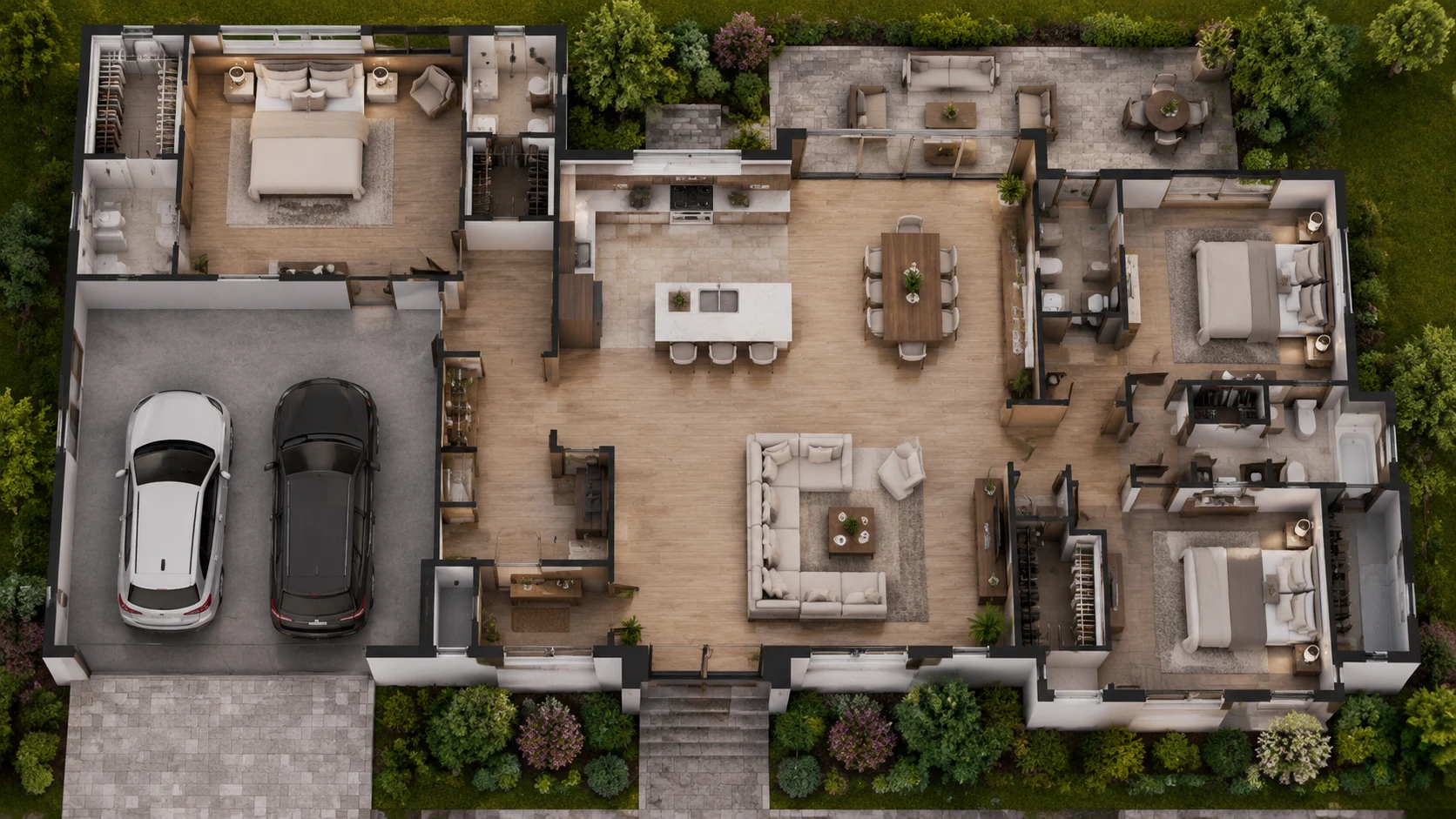
Describe bedrooms, bathrooms, kitchen flow, storage, and living areas, then generate a first-pass house layout for review.
Use BuildFloorPlan as a house layout generator to create early home plan ideas for apartments, small homes, family houses, and renovation projects. Describe bedrooms, bathrooms, kitchen flow, living areas, storage, privacy, and circulation to generate a reviewable house floor plan draft.
Plan room relationships and daily circulation.
Compare private bedroom zones with shared family areas.
Use the draft for discussion before professional documentation.
Flow
Include bedrooms, bathrooms, kitchen, living areas, and storage.
Review whether privacy, flow, and room placement feel right.
Ask for changes around circulation, zones, or room relationships.
Start with the home you want, then review whether the generated layout makes sense.
List the bedroom count, bathroom needs, kitchen position, storage, terrace, privacy, and flow goals.
Use image input when you already have a reference layout and want a cleaner direction.
Use the output to talk through room placement before moving into CAD or architectural drawings.
Use these as starting points for an apartment floor plan, small house floor plan, family house layout, or renovation floor plan.
Create a 2-bedroom apartment floor plan with 1 bathroom, an open kitchen, a living room, storage, and clear circulation.
Create a single-floor house plan with 3 bedrooms, 2 bathrooms, a kitchen near the dining area, a living room, laundry space, and a private bedroom zone.
Create a family house layout with a master bedroom, two children's bedrooms, two bathrooms, an open living area, kitchen, storage, and good natural light.
Create a renovation floor plan that keeps the main structure but improves kitchen flow, storage, bathroom access, and bedroom privacy.
These are the questions people usually ask before trying an AI house plan maker on a real home project.
What is a house floor plan generator?
A house floor plan generator helps turn home requirements, sketches, or images into first-pass layout drafts for review, comparison, and discussion.
Can I create a house floor plan from text?
Yes. Describe bedrooms, bathrooms, kitchen style, storage needs, privacy goals, and circulation to generate a reviewable house plan draft.
Can I make a house plan online?
Yes. You can describe your rooms, layout goals, privacy needs, storage, and circulation, then generate a reviewable house floor plan draft online.
Can I use it as a house layout generator?
Yes. BuildFloorPlan can help generate house layout ideas for apartments, small homes, family houses, and renovation planning.
Can I make a house floor plan from a sketch or image?
Yes. You can start from text, a sketch, or an image when you already have a home plan reference to work from.
Can I generate apartment floor plans?
Yes. You can create apartment layout drafts for bedrooms, bathrooms, open kitchens, balconies, storage, and one-floor circulation.
Can I use it for renovation planning?
Yes. BuildFloorPlan is useful for renovation planning, additions, and room reconfiguration when you need a clearer first-pass house layout before deeper drafting.
Are these house plans ready for construction?
No. BuildFloorPlan is for house layout exploration and review, not final architectural, permit, or stamped construction documents.
Is BuildFloorPlan free to try?
Yes. Create a free account and you will start with 2 free generations to test the workflow before you pay.
Who is this house floor plan creator best for?
It works best for homeowners, interior designers, remodelers, and small teams that want a clearer house layout draft early in the project.
Describe the home, upload a sketch if you have one, and get to a clearer house layout draft before the project conversation loses momentum.
Create a house layout draft from your room requirements.