Apartment floor plan from text
Bedrooms, bathrooms, balcony, storage, and circulation between living and private rooms.
Describe your rooms, dimensions, layout goals, privacy needs, and circulation. BuildFloorPlan turns your text prompt into a floor plan you can review and refine.
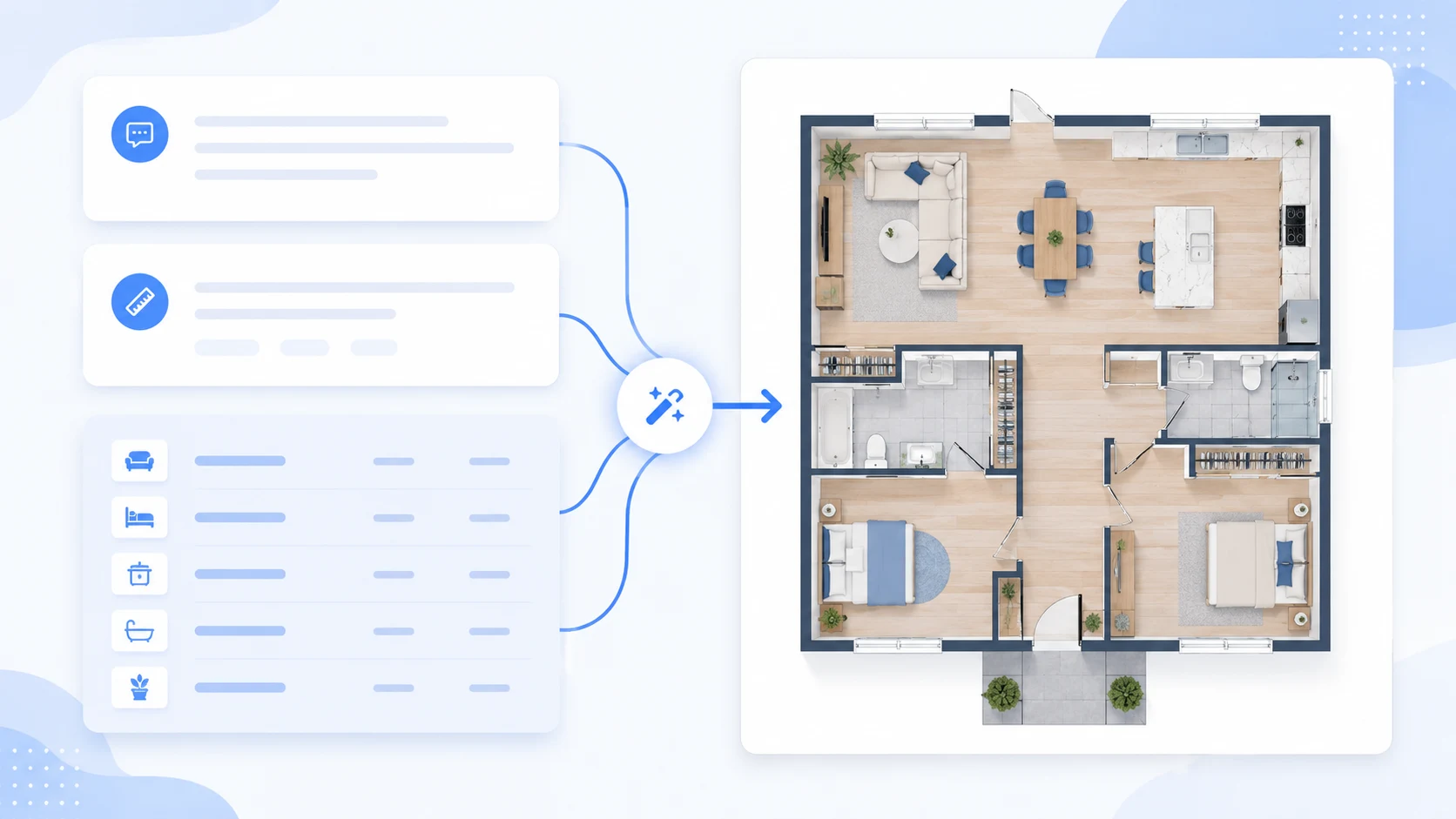
Write the rooms, dimensions, layout goals, privacy needs, and circulation, then turn the prompt into a 2D floor plan draft.
Use these text prompts as starting points for apartment, house, office, or restaurant layout ideas.
Apartment prompt: Create a one-floor apartment with 3 bedrooms, 2 bathrooms, an open kitchen, a balcony, storage, and clear circulation between the living room and bedrooms.
Small house prompt: Create a small house floor plan with 2 bedrooms, 1 bathroom, an open living and dining area, a kitchen near the entrance, and good natural light.
Office prompt: Create an office floor plan with a reception area, 6 workstations, 1 meeting room, a manager office, storage, and a clear visitor path.
Restaurant prompt: Create a restaurant layout with a dining area, kitchen, cashier counter, restrooms, storage, and smooth staff circulation.
Flow
Include rooms, dimensions, flow, privacy, and constraints.
Turn the written brief into the floor plan output you want to review.
Adjust the prompt when the room layout or circulation needs another pass.
The best floor plan from text results come from clear room requirements, relationships, priorities, dimensions, and constraints.
List bedrooms, bathrooms, kitchens, storage, entries, windows, approximate dimensions, and any limits the layout needs to respect.
Mention which zones should feel private, how people should move between rooms, and which spaces should connect directly.
Choose Technical 2D when structure matters most, 2.5D for a visual top-down plan, or 3D-style for spatial presentation.
A text prompt can describe a house, apartment, office, restaurant, studio, warehouse, or other early-stage room layout. Keep the brief focused on rooms, flow, dimensions, and constraints.
Bedrooms, bathrooms, balcony, storage, and circulation between living and private rooms.
Bedroom count, kitchen position, natural light, shared areas, and privacy needs.
Reception, workstations, meeting rooms, manager office, storage, and visitor paths.
Dining area, kitchen, cashier counter, restrooms, storage, and staff circulation.
Common questions about generating floor plans from written prompts.
Can I create a 2D floor plan from text?
Yes. You can describe the rooms, dimensions, layout goals, and circulation, then generate a 2D-style floor plan draft from your prompt.
What types of floor plans can I generate from text?
You can generate house plans, apartment layouts, office floor plans, restaurant layouts, studio plans, warehouse layouts, and other early-stage space planning ideas.
Can I generate a floor plan from text?
Yes. Describe the rooms, layout goals, constraints, and circulation you want, and BuildFloorPlan can generate a floor plan from text for early review.
What should I write in a floor plan prompt?
Include room count, space type, approximate dimensions, privacy needs, entry points, storage, and the flow you want between rooms.
Can I create house, apartment, office, or restaurant layouts from text?
Yes. Text prompts work for homes, apartments, offices, restaurants, studios, warehouses, and other spaces where you can describe the required zones.
Can I choose 2D, 2.5D, or 3D-style output?
Yes. You can choose the output style that makes the floor plan easiest to review and discuss.
Are text-generated floor plans construction-ready?
No. They are first-pass layout concepts for review, comparison, and discussion, not permit-ready construction drawings or licensed architectural plans.
Write the room list, goals, and constraints, then turn the prompt into a layout idea you can review and refine.
Write a prompt and generate a floor plan layout